 League Warden
 101
Set up a draft in five minutes
League Warden sits beside your ESPN or Yahoo draft room in Chrome's side panel. It records every pick as it happens and recommends who to take next. Here's how to get it running.
1Install and pin the extension
- Add League Warden from the Chrome Web Store. It works in Chrome and other Chromium browsers such as Edge and Brave.
- Click the puzzle-piece icon at the top right of Chrome, then the pin next to League Warden, so its icon stays in your toolbar.
2Sign in
- Click the League Warden icon in the toolbar. The side panel opens on the right.
- Read the short data notice and choose Continue, then Sign in with Google.
- The War Room (this website) uses the same account, so your drafts and rankings appear in both.
3Create your draft
In the War Room, open Drafts and click New live draft. Then:
- Draft site: ESPN, Yahoo, or Other site if you'll record picks by hand.
- Your league: number of teams, your draft position (your pick in round 1) and your roster slots.
- Draft order: League Warden's order, or one of your own rankings.
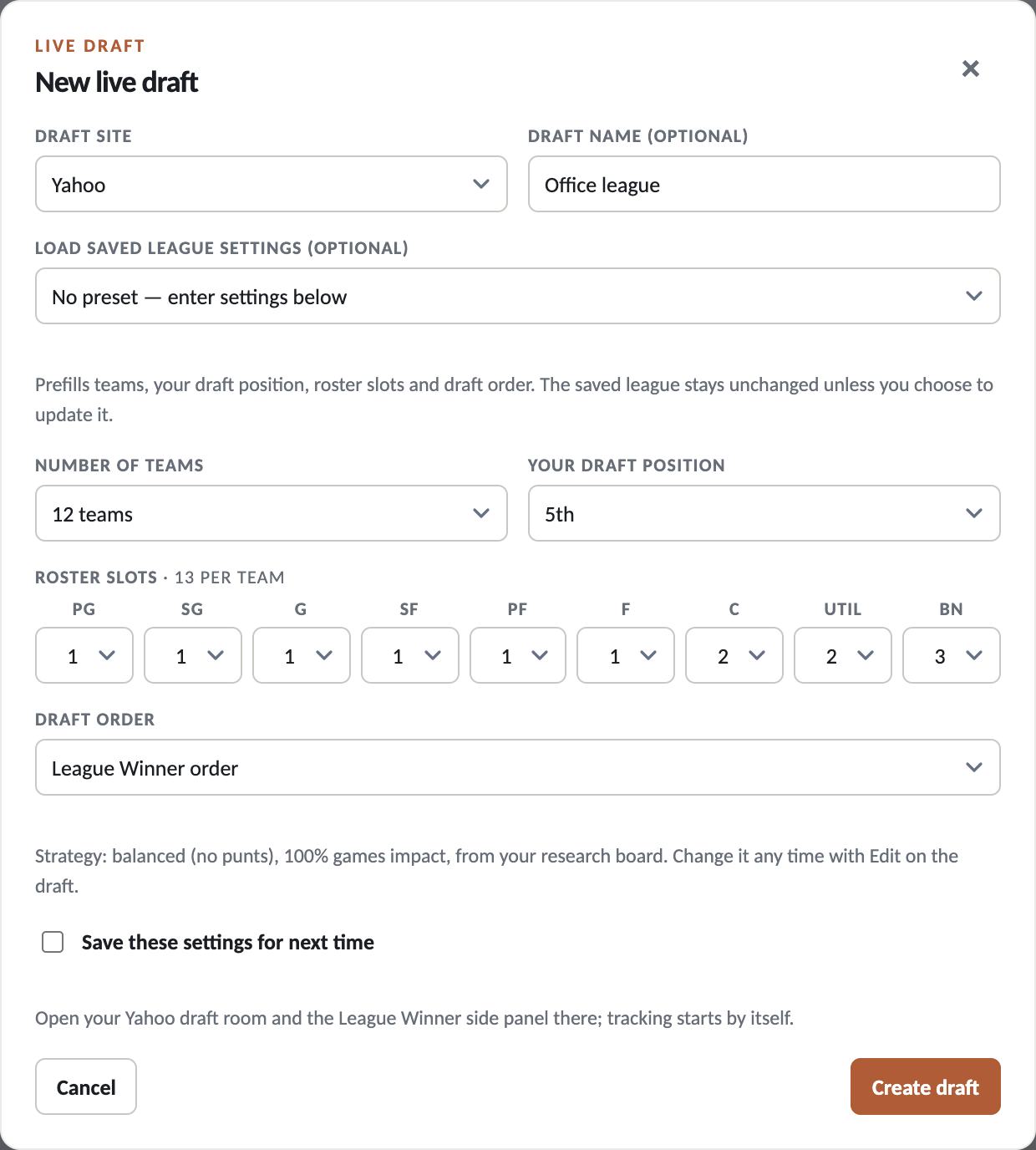
Tip: you can also start a draft straight from the side panel with New draft for this tab. Saved settings are optional: tick “Save these settings for next time” to reuse them.
4Open your draft room
- Open your ESPN or Yahoo draft room in Chrome, then click the League Warden icon to open the side panel beside it.
- The panel finds your draft for that site and starts tracking. It shows Tracking this Yahoo draft room for your draft (or ESPN), and picks appear as they happen.
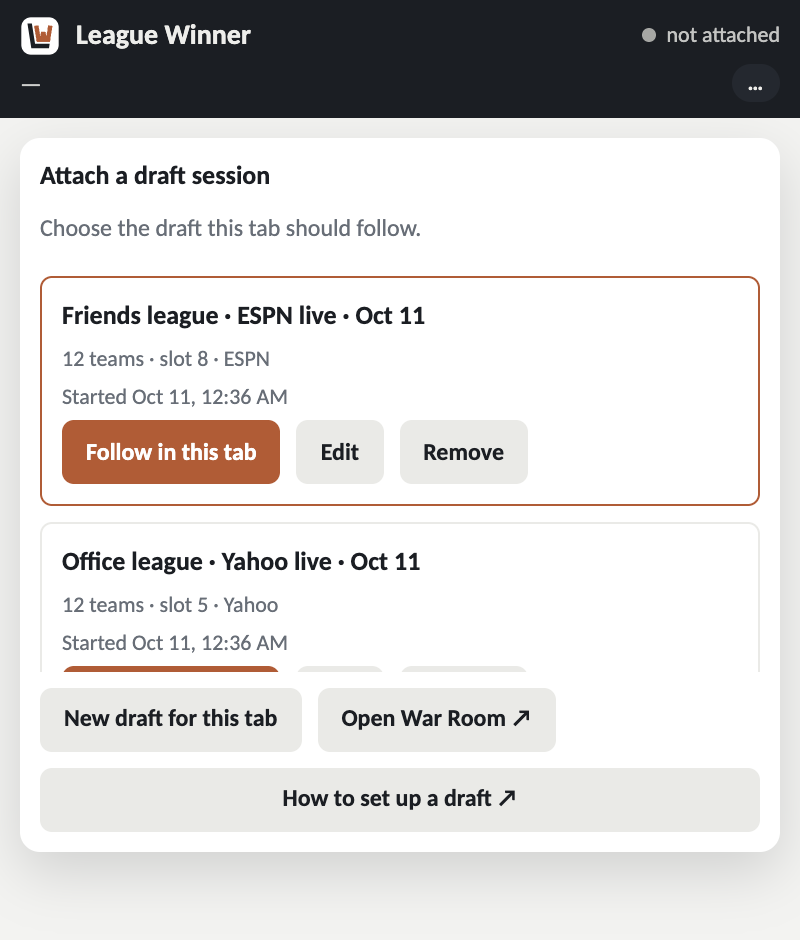
- If you have more than one draft for that site, the panel lists them. Click Follow in this tab on the right one. Edit fixes a draft's settings without following it.
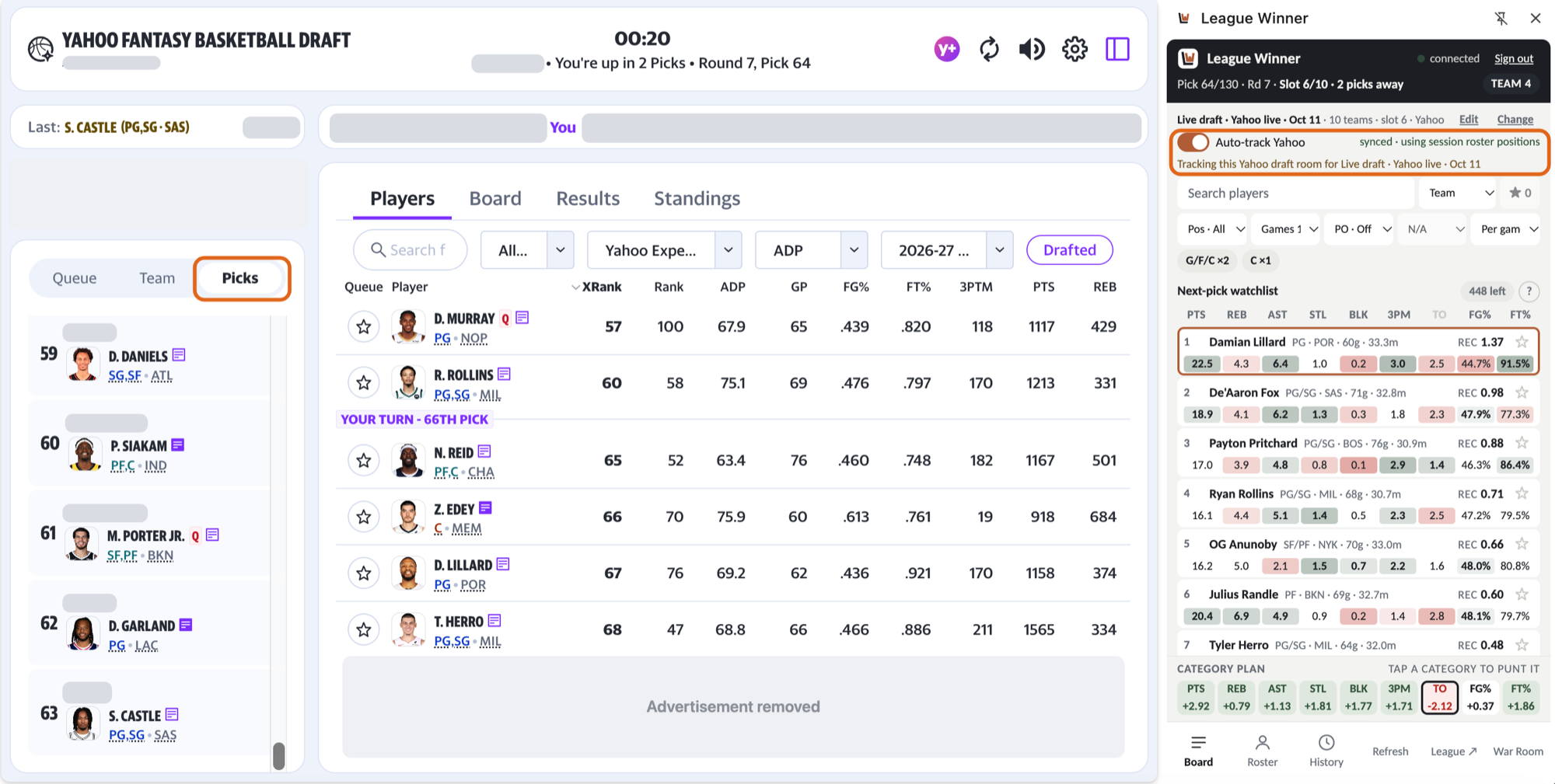
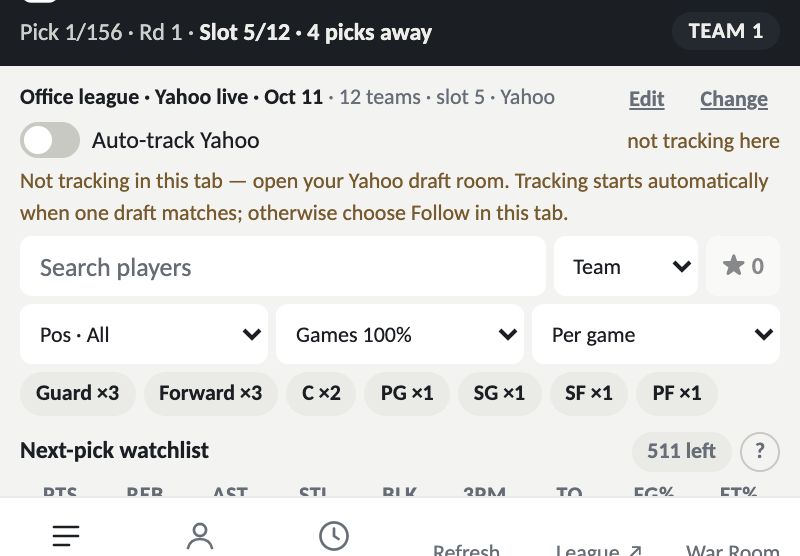
Yahoo: click the draft room's Board tab once so League Warden can confirm your team count and draft slot. Then keep the Picks tab selected on the left.
Other sites: for a draft you created with Other site, click Log next to each player as they're drafted, for every team. Undo is on the History tab.
5Draft with the side panel
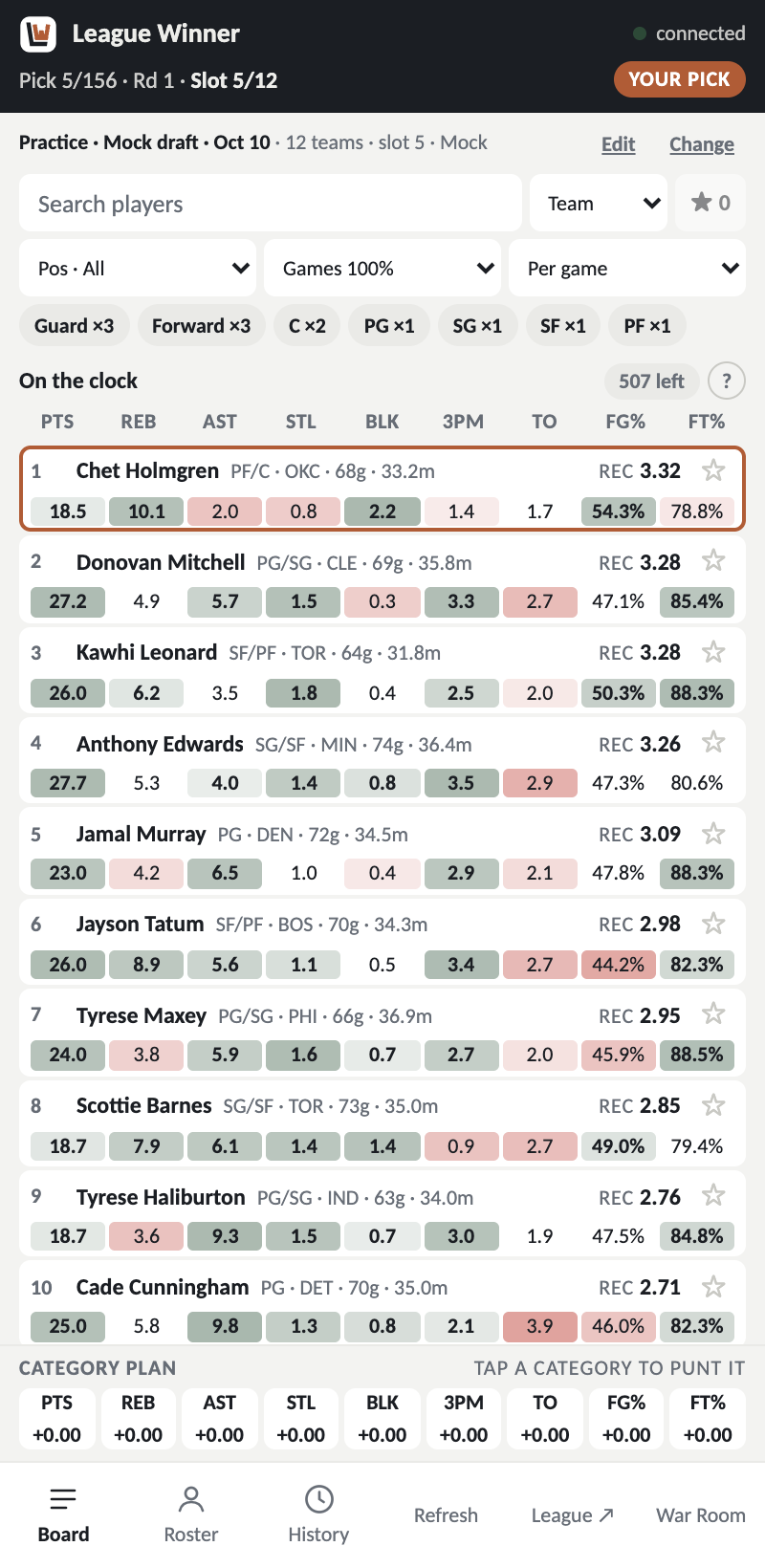
- Board: the best available players for your team right now, ranked by their recommendation score (REC). Each player's projected stats are shaded from strong (green) to weak (red).
- Position chips show the roster spots you still need. Click one to filter.
- Category plan: tap a category to punt it. Recommendations change straight away.
- Roster shows your team, and History shows every pick.
- Click a player's name to see their past seasons.
6Fix something mid-draft
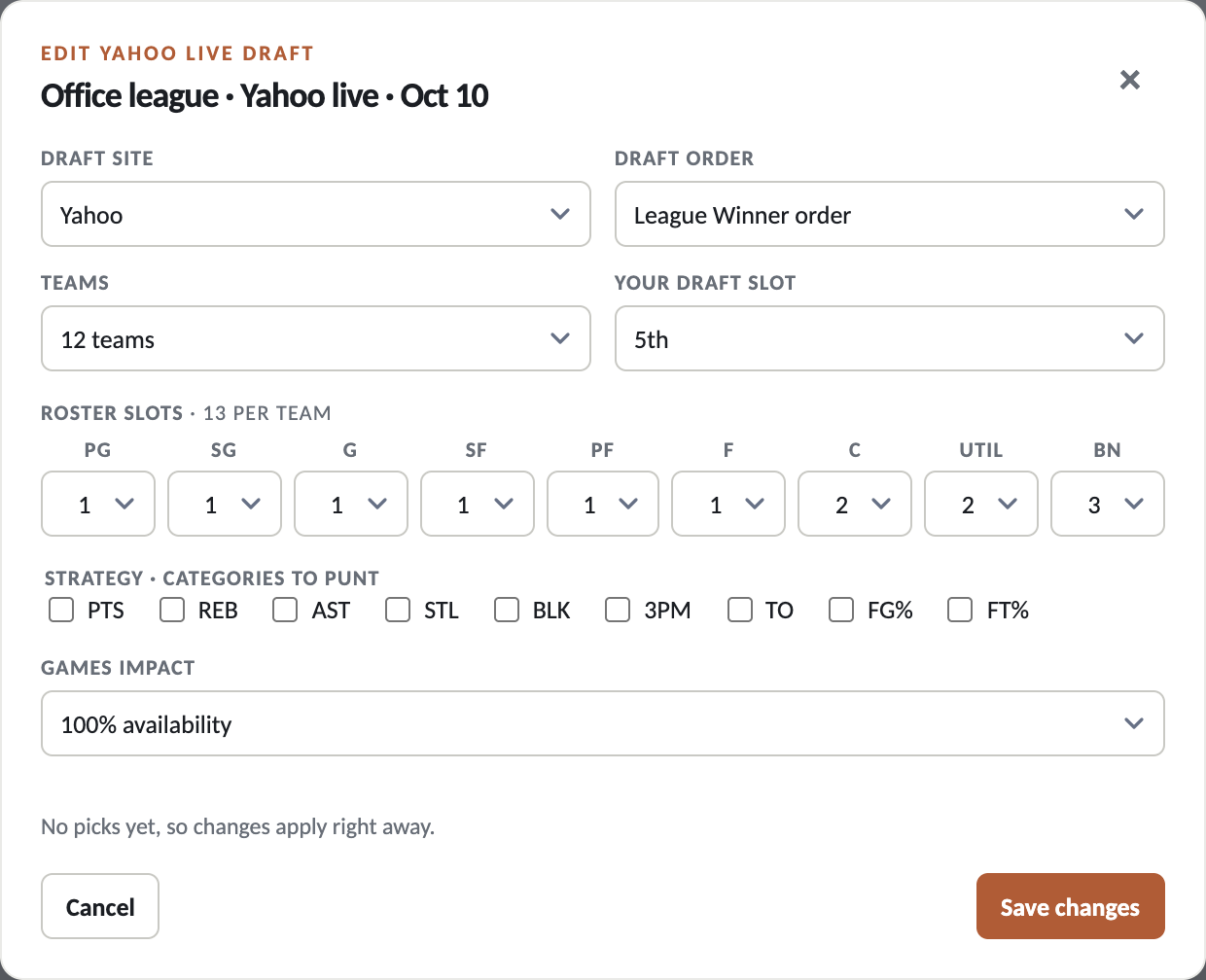
Entered the wrong draft position or team count? In the War Room's Drafts, click Edit on your draft. You can also do it from the side panel.

Edit changes the site, draft order, teams, your draft slot, roster slots and strategy in one save. Picks already made stay in order.
- "Choose which player was drafted": when two players share a name the draft room abbreviates, such as Yahoo's "J. Williams", the panel asks once. Pick the right one, or open Yahoo's Board tab, which shows full names.
- Not in your toolbar? Pin League Warden from the puzzle-piece menu (step 1).
7Practice with a mock draft
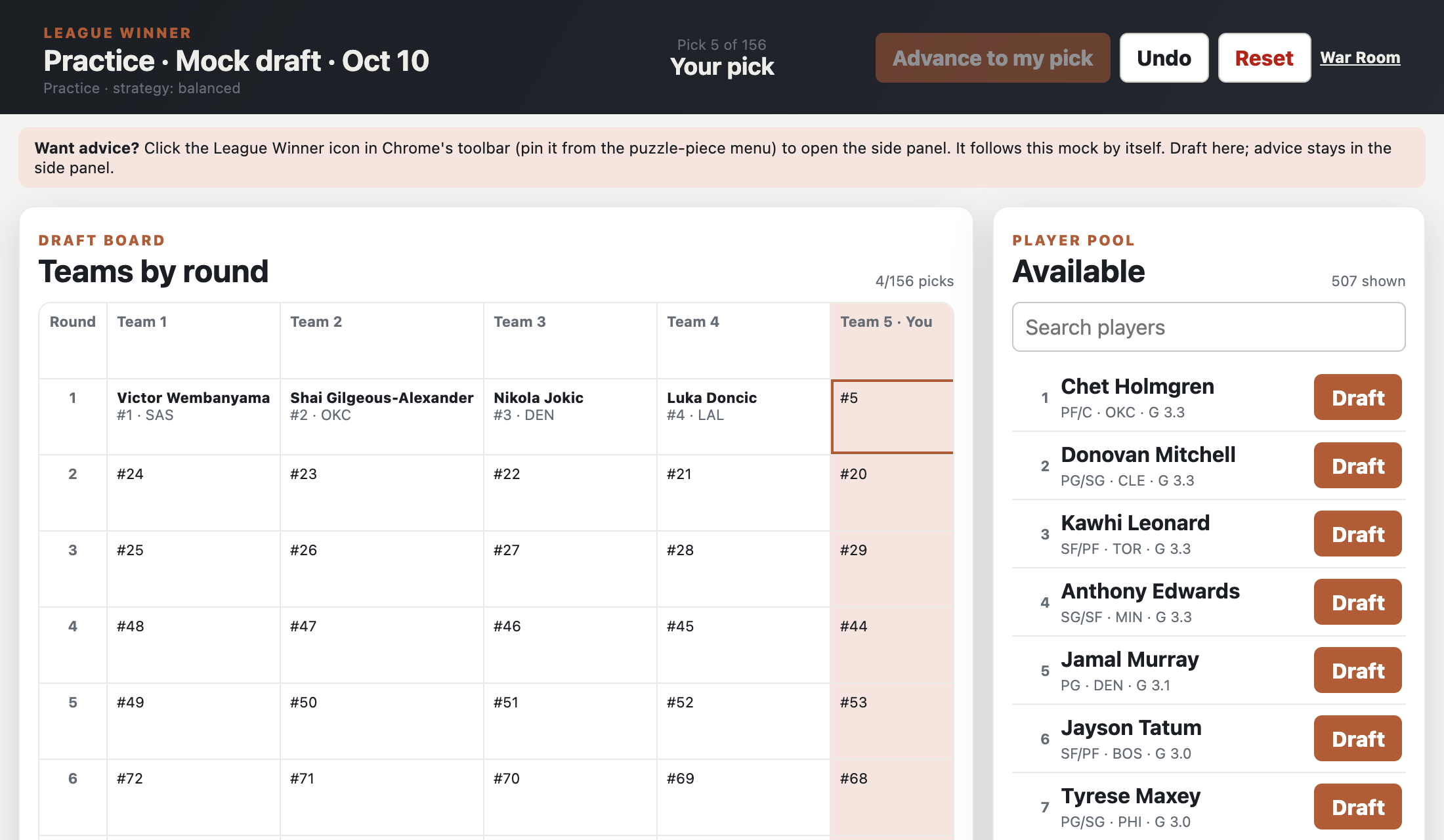
Try it before draft day. In the War Room, open Mock draft, then click New mock draft and Create and open room. Draft against League Warden's opponents. The side panel follows the mock by itself.
Still stuck?
Email support@leaguewinner.me with your draft site, roughly when it happened, and a screenshot of the side panel. Never send passwords.